
Duplicates, blur, screenshots, videos
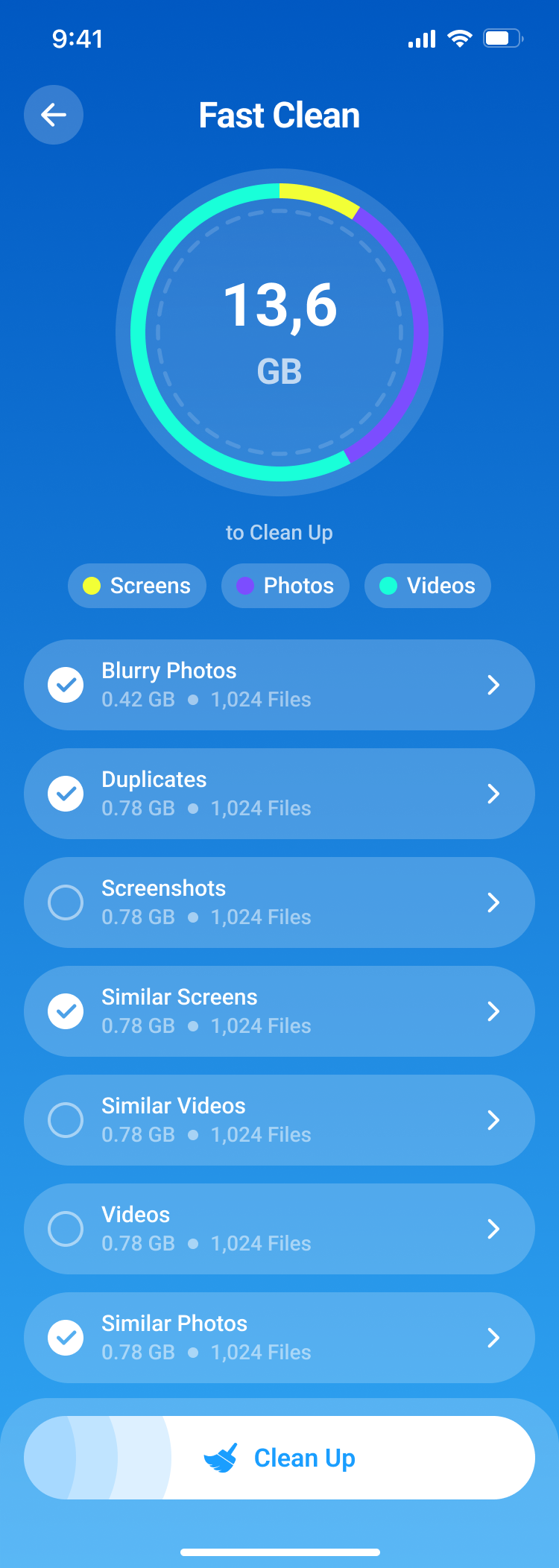
Fast Clean highlights the biggest reclaimable wins before you commit to deleting anything.
Cleaner Kit AI for iPhone
Cleaner Kit AI combines smart photo cleanup, swipe sorting, a local secret vault, contact repair, and backups inside a polished iOS interface built around fast decisions.
Fast Clean highlights the biggest reclaimable wins before you commit to deleting anything.
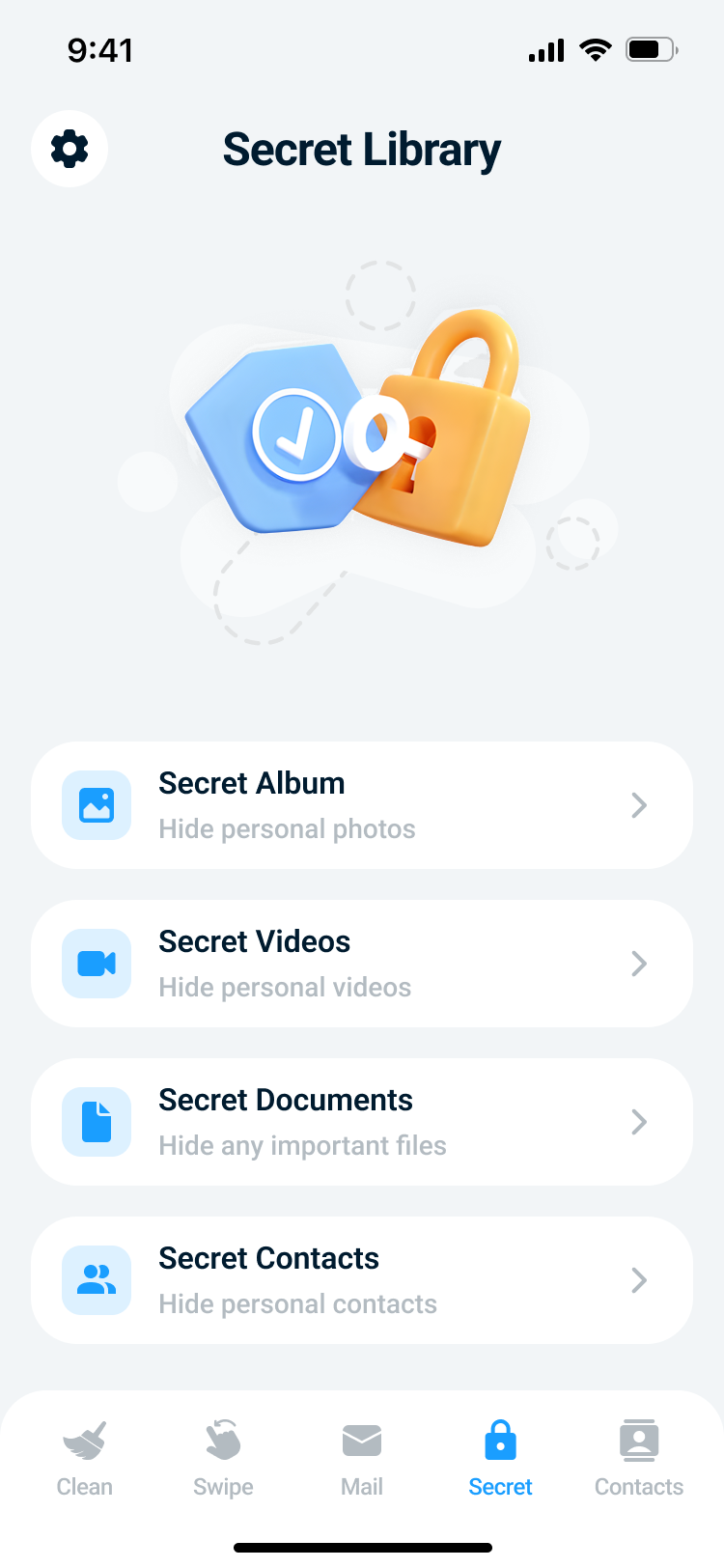
Secret Library keeps sensitive items inside the app with passcode and optional Face ID protection.
Merge duplicate contacts, restore from backups, and clean up incomplete entries with less risk.
What you can do
Cleaner Kit AI combines fast cleanup flows, a private in-app vault, and safer contact tools in one focused mobile experience.
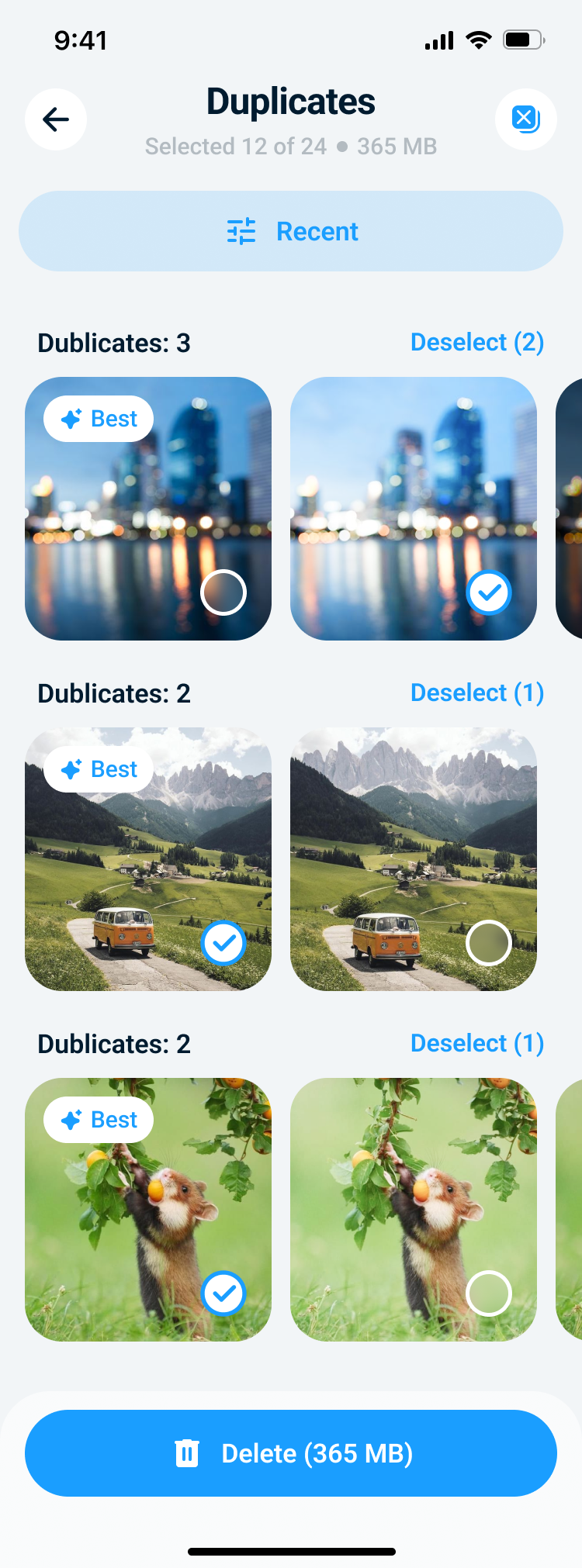
Fast Clean surfaces duplicates, similar photos, blurred shots, screenshots, videos, and other heavy files with a storage ring and one-tap entry points.
The interface stays consistent across cleanup flows, so it is easy to jump from the storage dashboard into duplicates, screenshots, or swipe sorting without relearning the layout.
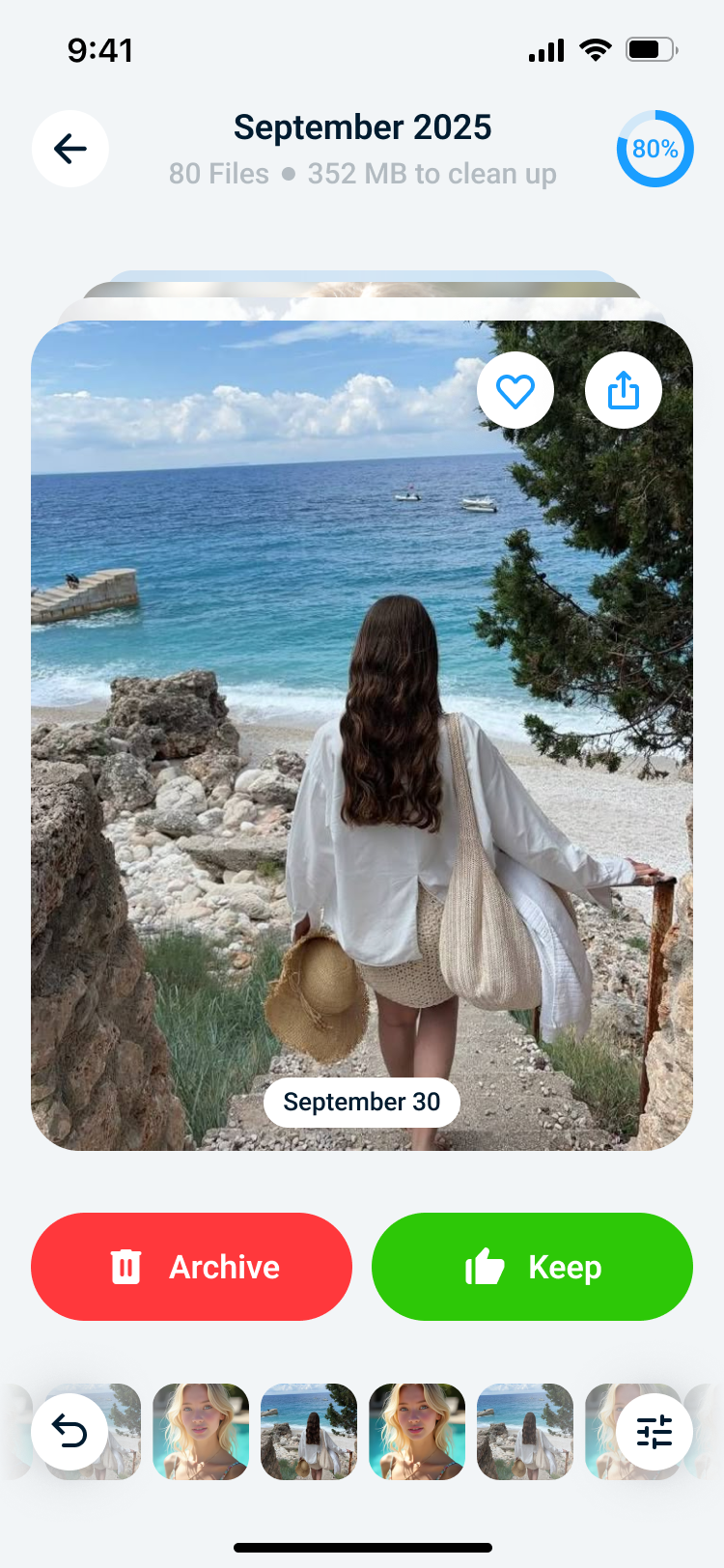
The swipe flow helps you organize media quickly: archive what you do not need, keep favorites, undo the last step, and track progress visually.
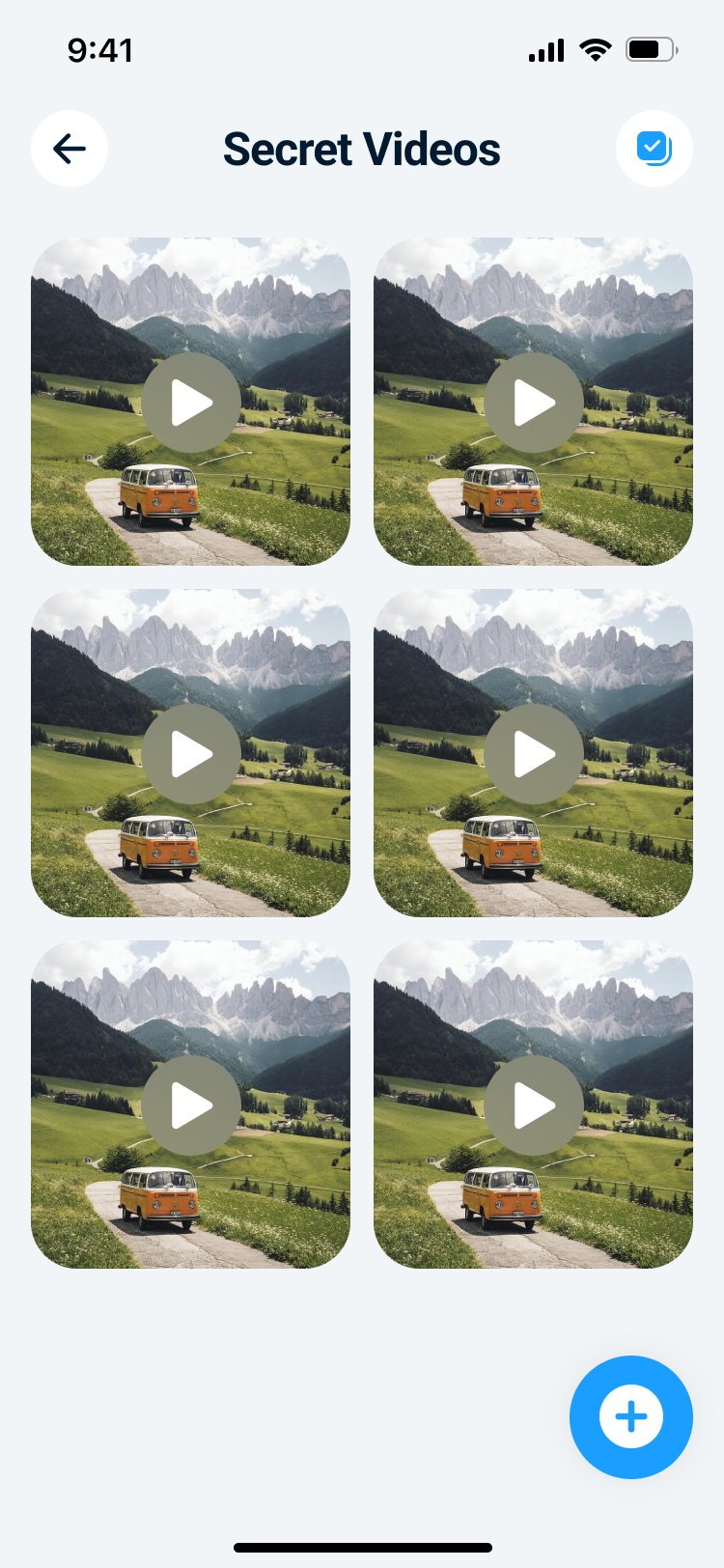
Store photos, videos, documents, and contacts in private app storage with optional Face ID and separate entry points for each content type.
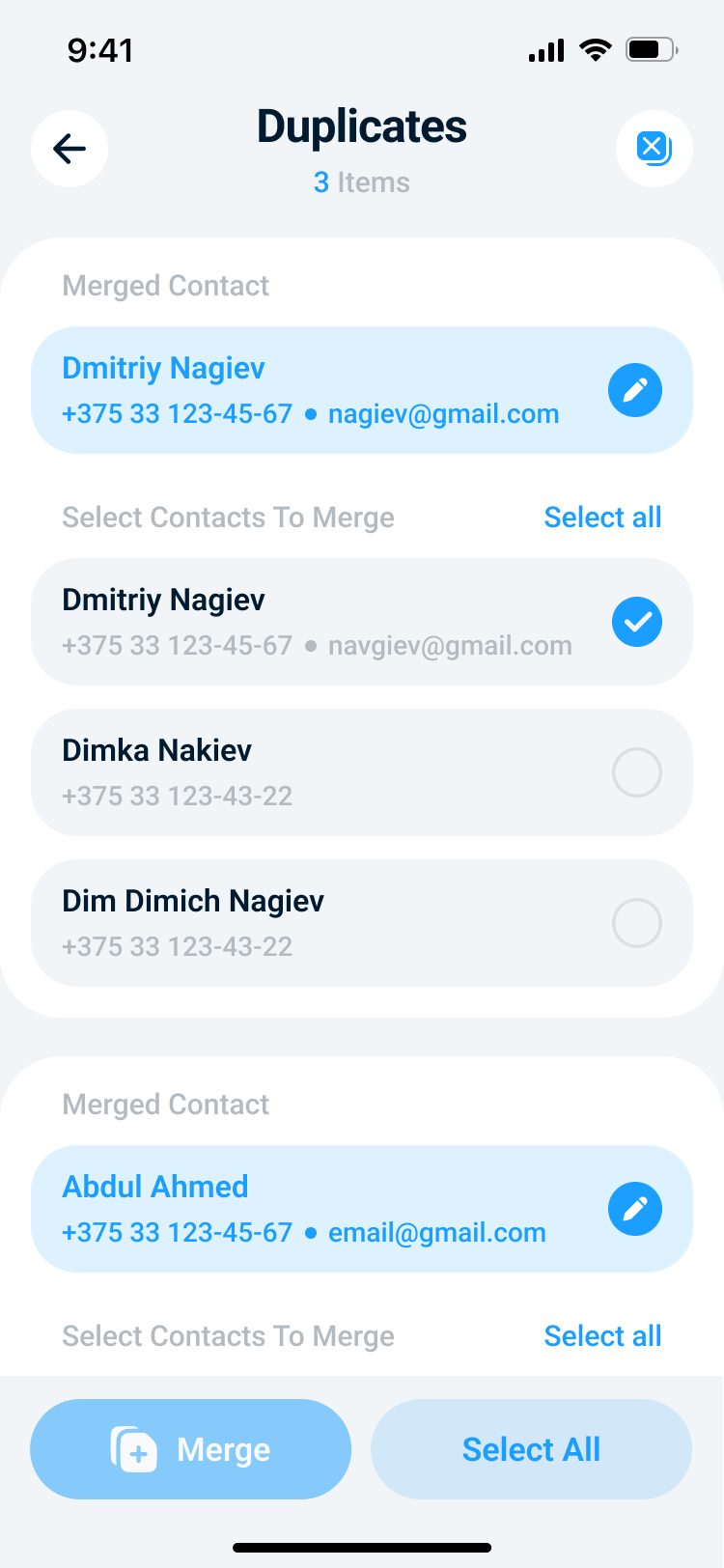
Cleaner Kit AI can surface incomplete contacts, merge duplicates into a cleaner card, and create backups before risky edits so you can roll back when needed.
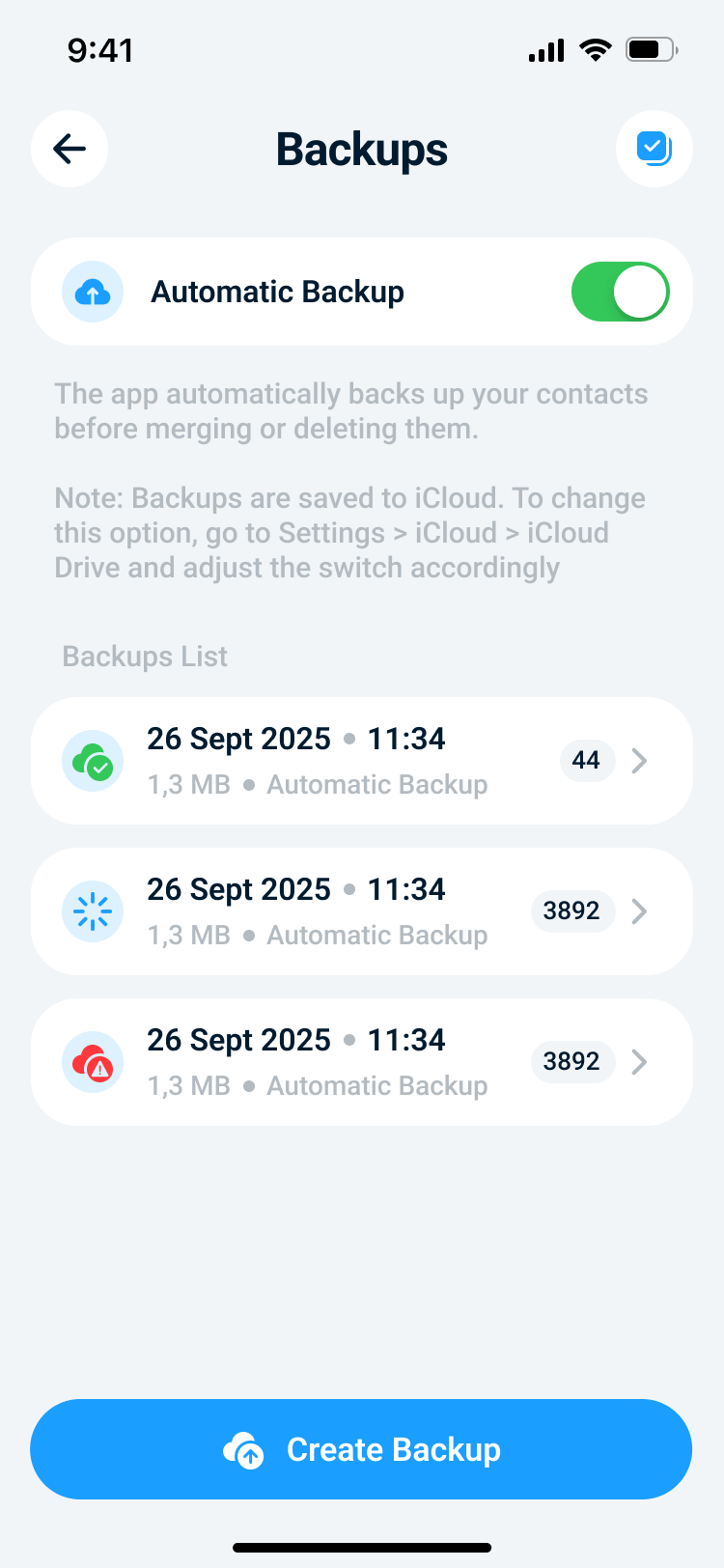
Automatic backup flows help you restore contacts after merges or deletions instead of hoping nothing went wrong.
Storage cleanup
The home cleanup screen mirrors the app's strongest visual pattern: a bright blue gradient header, a circular storage graph, and highly tappable cards that break cleanup work into understandable categories.
Swipe sorting
Instead of dumping hundreds of items into one intimidating grid, Cleaner Kit AI also offers a swipe-based review mode that turns gallery cleanup into a focused, chronological flow.
Secret Library
Secret Library is the app's private vault. It provides dedicated spaces for photos, videos, documents, and contacts, so personal content stays organized and easy to manage.
Contacts repair
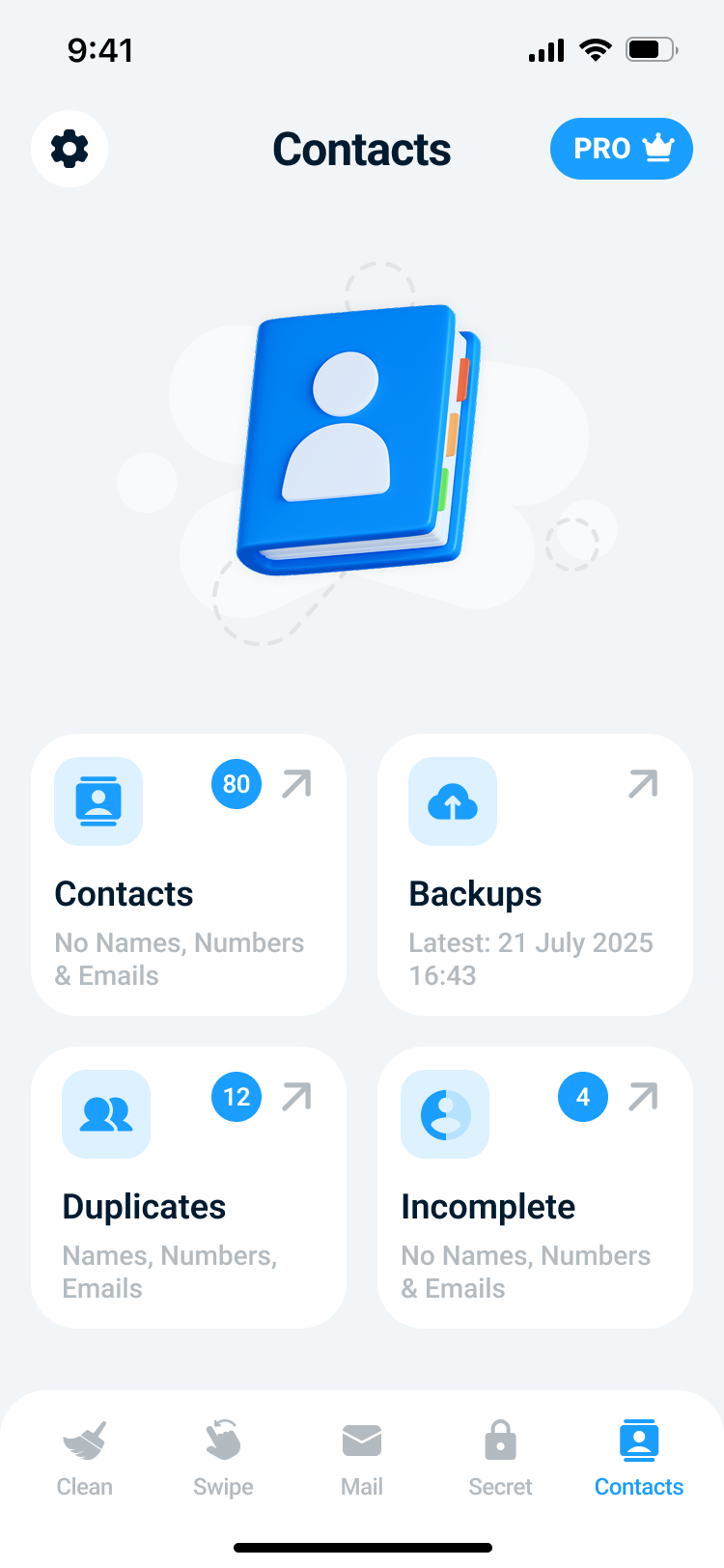
The contacts area is more than a plain list. It combines dashboard entry points, duplicate merge review, incomplete-contact discovery, and a backup system that makes destructive actions less stressful.
Privacy at a glance
Cleaner Kit AI keeps core cleanup flows on-device, stores Secret Library content in app-private storage, and clearly explains analytics and crash reporting in the Privacy Policy.
Core duplicate, similar-photo, screenshot, and contact organization flows are designed to run on-device.
Secret photos, videos, documents, and contacts are stored on the device and can be gated by passcode and Face ID.
Firebase Analytics and Crashlytics are listed clearly in the Privacy Policy, together with the categories of data they receive.
If you revoke a permission in iOS Settings, the related feature stops working until you grant it again.
FAQ
Here are the essentials on cleanup, privacy, backups, and private storage.
Core cleanup and contact organization flows are local-first. Where external services are involved, such as Firebase Analytics, Crashlytics, or iCloud backups, they are described in the Privacy Policy.
Cleaner Kit AI helps you review duplicate and similar photos, blurry shots, screenshots, videos, swipe-based archives, private files in Secret Library, duplicate contacts, incomplete contacts, and contact backups.
Secret Library can be protected with a passcode and optional Face ID. Imported private content is stored locally inside the app's private storage.
The app's deletion flow reminds users that deleted media remains in the iPhone's Recently Deleted album for 30 days, so recovery can still happen there before permanent removal.
Contact backups may be stored in iCloud when available, with local on-device fallback when iCloud is unavailable. That helps make merge and delete operations safer.
Yes. Cleaner Kit AI uses Firebase Analytics and Firebase Crashlytics to understand product usage and app stability. The Privacy Policy explains the categories of data involved and the limits described for those services.
Support
For support questions, bug reports, privacy requests, and product feedback, contact the Cleaner Kit AI team directly by email. This site brings together the product overview, support contact, and Privacy Policy in one place.
Use this address for help with the app, bug reports, account questions, or general support requests.
Send email Legal Privacy PolicyRead the full data-processing breakdown for media, contacts, analytics, and storage.
Open page Privacy Privacy requests and data questionsUse this address for privacy questions, permission issues, requests related to your data, or anything you need clarified from the Privacy Policy.
Send emailCleaner Kit AI is published by JDG HRYSHYN ALIAKSEI. Use the support email for customer support, privacy questions, and product-related communication.